
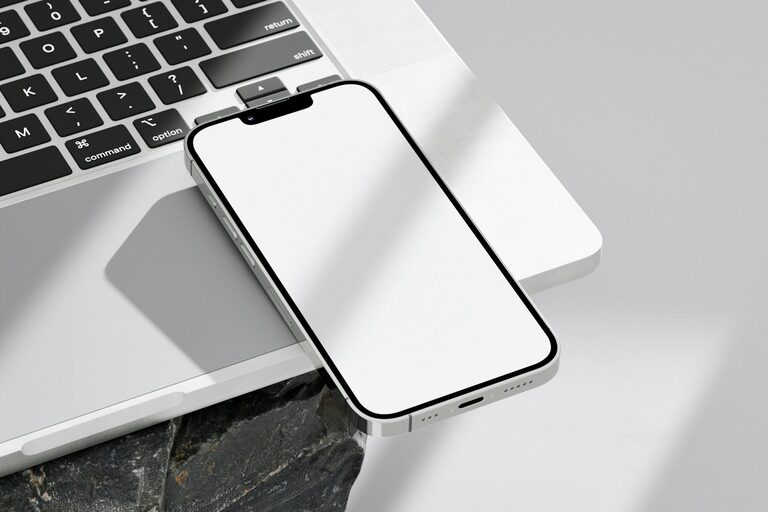
Keeping your phone and keyboard clean is essential not only for hygiene but also for maintaining the longevity and functionality of your devices. These gadgets are used daily and can accumulate dirt, oils, and germs over time. However, using the wrong cleaning methods or materials can damage delicate screens and electronic components. This guide provides you with safe, effective techniques to clean your phone and keyboard at home.
Why Regular Cleaning Matters
Phones and keyboards come into constant contact with your hands, face, and environment, making them breeding grounds for bacteria and dust. Regular cleaning:
– Reduces germs and potential allergens
– Improves device performance by preventing dust buildup
– Enhances appearance and user experience
Now, let’s explore how to clean both items carefully.
What You’ll Need
Before starting, gather these safe cleaning supplies:
– Microfiber cloths (soft, lint-free)
– Distilled water
– Isopropyl alcohol (70% or less concentration)
– Cotton swabs
– Small, soft brush (like a clean paintbrush or toothbrush)
– Compressed air canister (optional)
– Screen-safe cleaning wipes (optional)
Avoid harsh chemicals like bleach, ammonia, or abrasive sponges.
How to Clean Your Phone Safely
Phones are sensitive devices with touchscreens, microphones, speakers, and ports. Follow these steps for a thorough yet gentle cleaning:
1. Power Off and Unplug
Start by turning off your phone. Remove any case or accessories, and unplug charging cables.
2. Remove Dust and Debris
Use a soft brush or compressed air to gently dislodge dust from ports, speakers, and buttons.
3. Prepare a Cleaning Solution
Mix equal parts distilled water and isopropyl alcohol (no more than 70%) in a small spray bottle if you have one. Avoid spraying directly on your phone.
4. Wipe the Surfaces
Lightly dampen a microfiber cloth with the cleaning solution. Wring out excess liquid so the cloth is just slightly moist. Wipe the screen, back, and sides carefully. Avoid excess moisture near ports or openings.
5. Clean Small Areas
Use a cotton swab with a bit of the solution to clean around buttons and edges.
6. Dry and Reassemble
Use a dry microfiber cloth to remove any remaining moisture. Let the phone air dry completely before turning it back on or putting on the case.
Tips for Special Cases
– If your phone has an oleophobic coating (most modern touchscreen phones), avoid abrasive rubbing to preserve it.
– For disinfecting, you can use wipes with at least 70% isopropyl alcohol safely on most smartphones following manufacturer guidelines.
How to Clean Your Keyboard Safely
Keyboards can collect dust, food particles, and germs daily. Here’s how to clean them without causing damage:
1. Unplug or Turn Off
If using an external keyboard, unplug it from your computer. For laptop keyboards, shut down your laptop.
2. Remove Loose Debris
Turn the keyboard upside down and gently shake it to dislodge crumbs. Use a can of compressed air to blow away debris between keys.
3. Brush Between Keys
Use a soft brush or clean paintbrush to sweep dust from the gaps and key edges.
4. Prepare Cleaning Solution
Like with the phone, mix equal parts distilled water and isopropyl alcohol (max 70%) or use disinfectant wipes safe for electronics.
5. Clean the Keys
Lightly dampen a microfiber cloth or cotton swab with your solution (never soak). Wipe each key’s surface carefully. For stubborn dirt, gently rub with the cloth, but avoid excess liquid.
6. Disinfect (Optional)
If disinfecting is desired, wipe down the keys with alcohol-based disinfectant wipes, ensuring they are not overly wet.
7. Dry Thoroughly
Let the keyboard air dry completely before reconnecting or turning on.
Additional Cleaning Notes
– Avoid spraying liquids directly onto the keyboard.
– For mechanical keyboards, you may be able to remove keycaps for deeper cleaning, but only do this if you are comfortable and know how your keyboard is constructed.
Additional Maintenance Tips
– Wash your hands before using devices to reduce dirt transfer.
– Avoid eating over your keyboard.
– Clean your devices regularly, ideally once a week.
– Store your phone and keyboard in clean environments to limit dust exposure.
Conclusion
Cleaning your phone and keyboard regularly using safe methods keeps your devices healthy and functioning well. Stick to gentle, moisture-controlled cleaning, avoid harsh chemicals, and take your time. With these tips, you can enjoy a cleaner, more hygienic workspace and tech setup effortlessly.
Remember, your devices will thank you with longer life and better performance!
